Tutorial
This tutorial teaches you how to build a MontiGem app. You model the data structure and the user interface, and the MontiGem generator creates a running full-stack web application from those models. Where the generated code is not enough, you add hand-written code.
Keep in mind that
- the tooling is experimental, i.e. quite a few features may not work perfectly,
- if you use a SNAPSHOT version of the tooling, it may get updated and even break your app.
What you will build
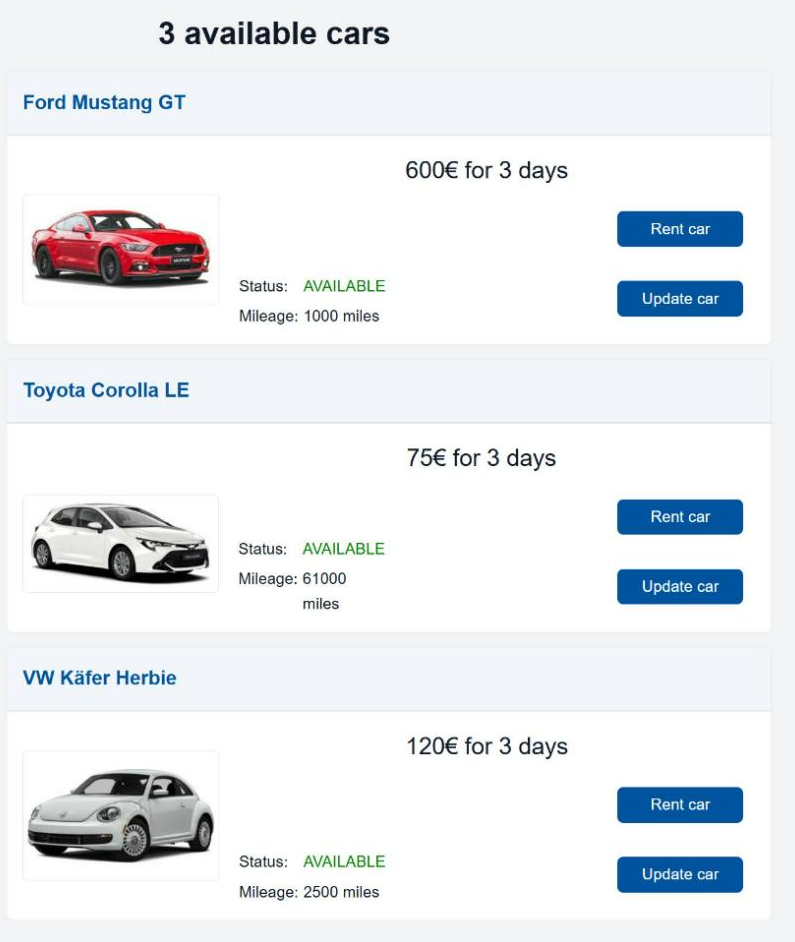
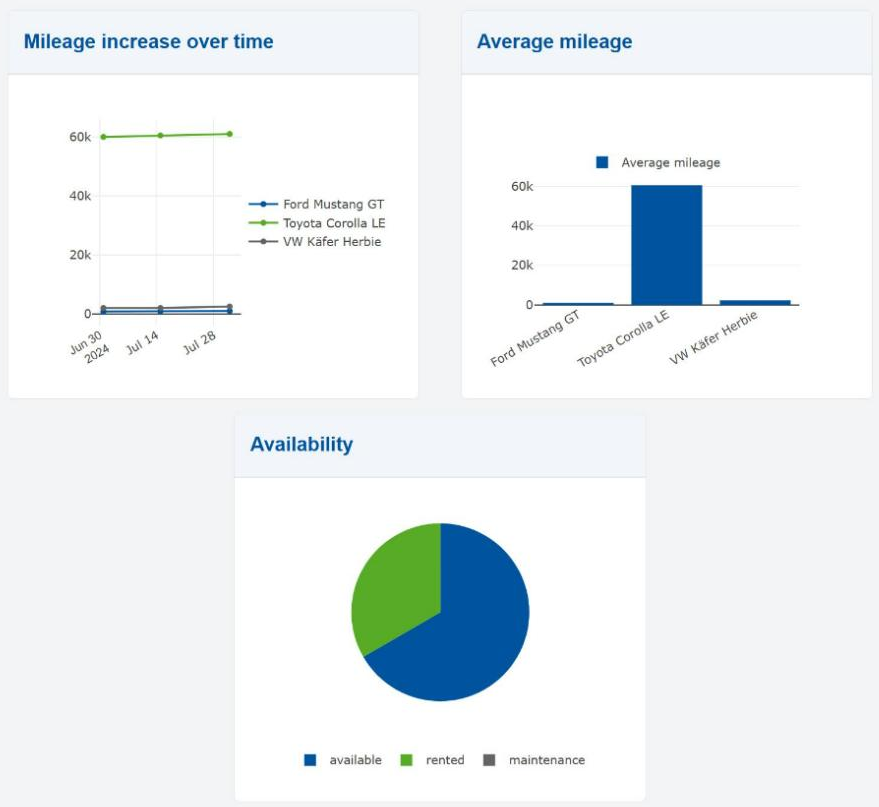
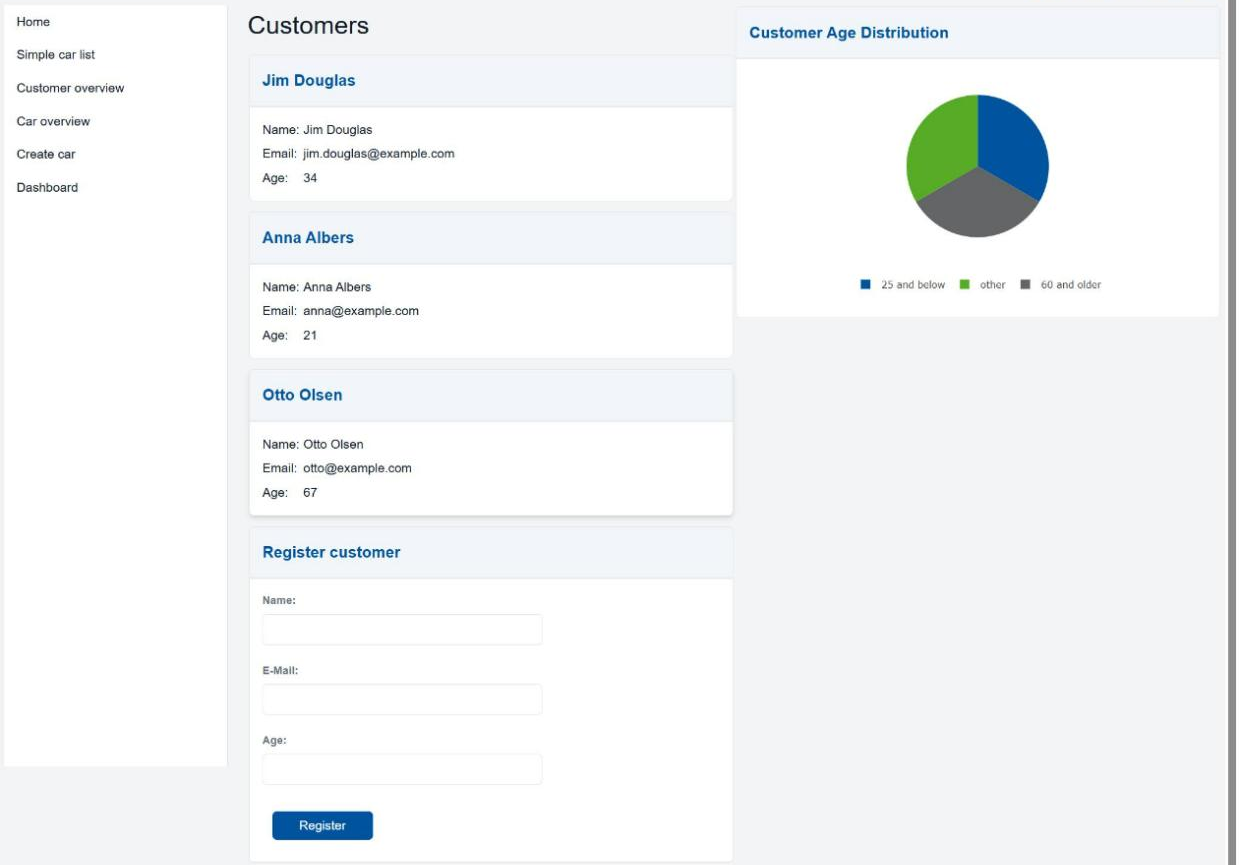
The running example is a car rental system. At the end you have an app with a car overview, forms to create and update cars, a dashboard with charts, a customer page with input validation, and an end-to-end test.
What you should already know
You do not need any MontiGem experience. You should be comfortable with
- Java (classes, inheritance, generics, lambdas),
- UML class diagrams (classes, attributes, associations, cardinalities),
- the command line and a Java IDE.
Knowing Angular, TypeScript or Spring Boot helps, but the tutorial explains what you need at each step.
Chapters
| Chapter | What you learn | Files you touch |
|---|---|---|
| Prerequisites | Install the tools, get the project, build and run it | none |
| Class Diagram Basics | Classes, enums, associations, generated classes | models/Carrental.umlp, CarrentalServerApplication.java |
| GUI Basics | GUI models, components, control statements | Start.gui, NavContainer.gui, SimpleCarList.gui |
| TOP Mechanism | How hand-written code extends generated code | AppGemRouting.ts |
| Customizing | Start-up logic, CRUD, synchronization, endpoints | none (theory) |
| Adding Services to Class Diagrams | Singleton services and their commands | models/Carrental.umlp, RentCar.java |
| Adding Functions in GUI | Own functions and event handlers in a page | CarOverview.gui, CarOverview.java |
| Updating Objects | Forms, navigation, creating objects | CarForm.gui, CarUpdate.gui, CarCreate.gui, CarCreate.java |
| GUI Layout | Rows, columns, grids, cards, styling with SCSS | CarOverview.gui, CarOverview.scss |
| Charts Frontend | Charts calculated in the browser | Dashboard.gui, Dashboard.java |
| Charts Backend | Charts calculated on the server | GetMileageDataIncrease.java |
| E2E Testing (simulated GUI) | End-to-end tests as JUnit tests | CustomerOverviewGUITest.java |
| OCL GUI Validity Checking | Validating user input with OCL invariants | models/ocl/CustomerValidity.ocl |
| What's Next | Where to continue | none |
Work through the chapters in order. Each chapter builds on the previous one and ends with a Checkpoint that tells you what you should see.
How the example project works
The project comes in two versions.
- The training version is your starting point. Places where you add code are
marked with
// TODO:comments, for example inmodels/Carrental.umlp. - The solution in the montigem3-tutorial repository contains all steps. Compare with it when you are stuck.
Prerequisites explains where to get the training version.
App architecture overview
Here the general MontiGem app architecture is described without going into details. The details are explained in later parts of the tutorial.
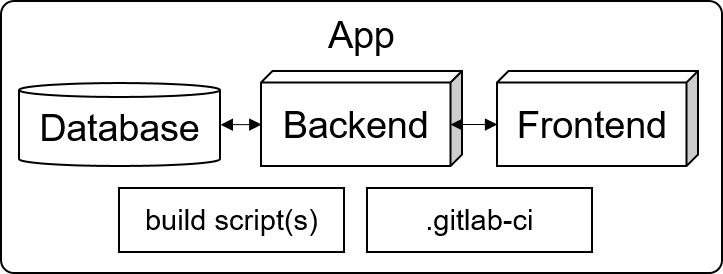
- The backend uses Spring Boot.
- The frontend uses Angular.
- Gradle is used as build system.
- GitLab CI/CD is used for continuous integration.
The database, backend, and frontend implementation is generated from the models
in the models folder. The frontend implementation also uses models from
frontend/src/main/gui.
The app has a default configuration that can be changed for use in production.
The database implementation can be an in-memory database (the default in this
tutorial), PostgreSQL, or Neo4J. The configuration files are
backend/src/main/resources/database.properties and
backend/src/main/resources/application.properties.